In short
- Give each notification a useful purpose and destination.
- Treat device permission, preferences and registrations separately.
- Recheck eligibility before submitting queued messages.
- Measure completed tasks, opt-outs and notification fatigue.
Useful push notification automation sends a relevant message at an appropriate time, with permission and a clear next action. Design suppression and user controls before increasing frequency. Measure whether notifications help complete the intended task, while monitoring opt-outs, complaints and fatigue; a delivered notification or a click alone does not establish customer value.
Separate service updates from promotional prompts
Separate operational updates from promotional prompts. A delivery change, appointment reminder and general offer have different purposes and urgency. State what the user can do after receiving each message.
If there is no useful next action or information, question whether a notification is necessary. Coordinate across email, WhatsApp and push where they serve the same journey so independent tools do not repeatedly interrupt the user about one event.
Ask for device permission in context
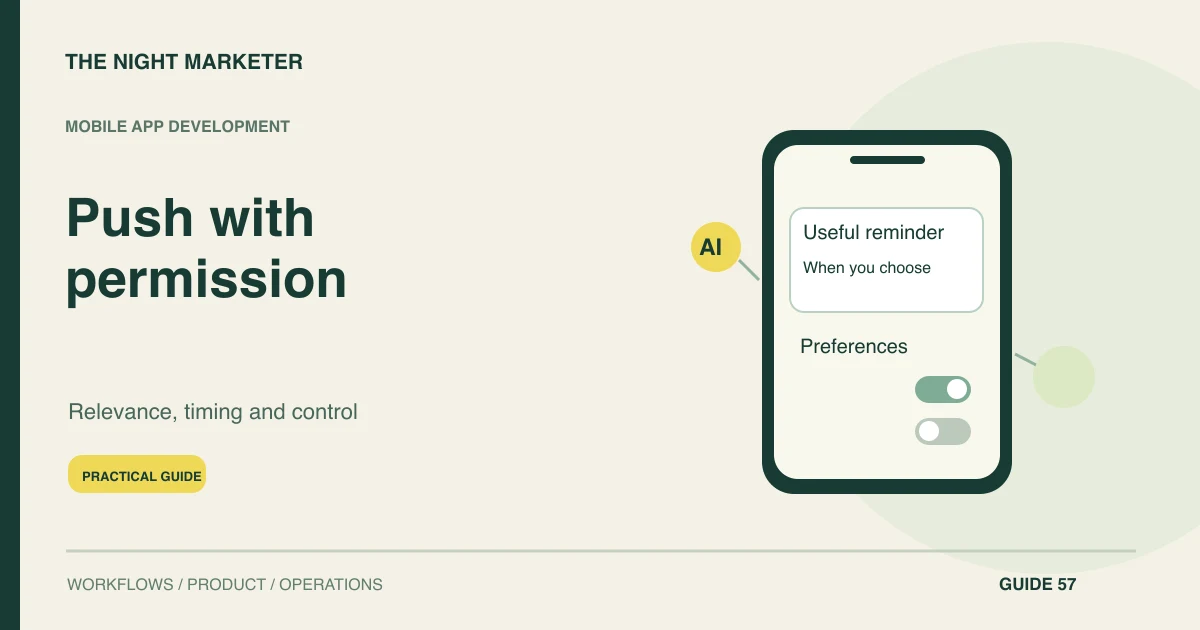
Ask for permission in the context of a useful feature. Explain the benefit and provide a path for people who decline. Android documents a runtime permission for non-exempt notifications on Android 13 and higher; implement and test the relevant outcomes for the target devices.
Verify other platforms' current requirements during implementation. Do not assume an account-level preference automatically means device permission is granted or that every installed device can receive a message.
Coordinate preferences, quiet hours and frequency
Create preferences, quiet hours and frequency rules appropriate to the use case. Let users distinguish categories where the product supports it. Define how business urgency interacts with those choices instead of letting every campaign bypass a limit.
Consider the person's timezone and recent messages across channels. More automation makes coordination more important, because a technically valid trigger can still produce an unwanted experience when several workflows operate independently.
Cancel notifications that have become obsolete
Recheck eligibility immediately before the sending worker submits the message to its delivery provider. A cart may already be purchased, an appointment cancelled or a support issue resolved after the reminder was queued. Cancel obsolete work that is still queued in your system and avoid sending to an account that has changed ownership on a shared device. A late notification may still arrive after submission, so its destination must handle a completed or expired task.
Use stable event references so retries do not create repeated sends. Treat delivery receipts as technical status, not proof that the user read or benefited from the information.
Open a useful and permitted destination
Make the destination useful. A deep link should open the relevant permitted task or explain why it is no longer available. Handle signed-out users and expired content without losing context.
Avoid a notification that promises a specific action and then opens an unrelated home screen. Keep message content appropriate for where notifications may appear, including shared screens or lock screens, and minimise unnecessary sensitive detail.
Keep device registrations and account changes current
Notification permission, a customer's category preference and a device registration are separate pieces of state. Refresh device registrations according to the messaging provider's guidance and remove invalid destinations when appropriate. Firebase's registration-token management guidance explains why stale registrations need ongoing attention.
Test signing out and switching accounts on a shared device so a later message does not reveal the previous user's activity. For journeys spanning channels, related email automation planning should follow the same current customer state. The core task needs an in-app route even when notification delivery is unavailable.
Measure completed actions and notification fatigue
Test incremental outcomes and fatigue. Use an appropriate comparison group where practical, and examine completed tasks rather than only open or click rates. Review opt-outs, permission changes, complaints and later use.
A small short-term response gain can be outweighed by users disabling all notifications. Assign an owner to templates, triggers and suppression logic, with a way to pause a problematic sequence without waiting for an application release.
Notification tests that protect the user
Illustrative example: a purchase cancels the queued cart reminder
A customer adds an item to a cart and becomes eligible for an illustrative reminder. They complete the purchase before the scheduled send. The sending worker checks the latest order state and cancels the reminder.
The test also covers an account switch, a duplicate trigger and an expired cart link. Success means the notification reaches only the intended eligible user with a useful destination, rather than simply reporting a high delivery count.
Send fewer messages with a clear purpose
Keep eligibility current, provide useful destinations and measure fatigue as well as response. Discuss mobile notification workflows with TNM using the service events and customer preferences they must respect.
Frequently asked questions
Keep the core task available in the app. Explain the notification feature at a relevant moment and respect the device permission state alongside the account’s category preferences.
The worker can suppress a reminder before it submits the message. Once submitted, handle possible late delivery by checking the current task state again when the user opens the destination.
Sign out, switch to another account and trigger the original account’s test event. Verify that registrations and authorisation prevent the new user from seeing the previous account’s activity.
Start with the purpose, urgency, local time and other messages in the same journey. Compare task completion and opt-outs across controlled changes, then adjust the cap using those results.