In short
- Map mobile roles to specific records and business actions.
- Keep privileged credentials and authorisation server-side.
- Distinguish local saves from authoritative acceptance.
- Test conflicts, duplicate submissions and operational recovery.
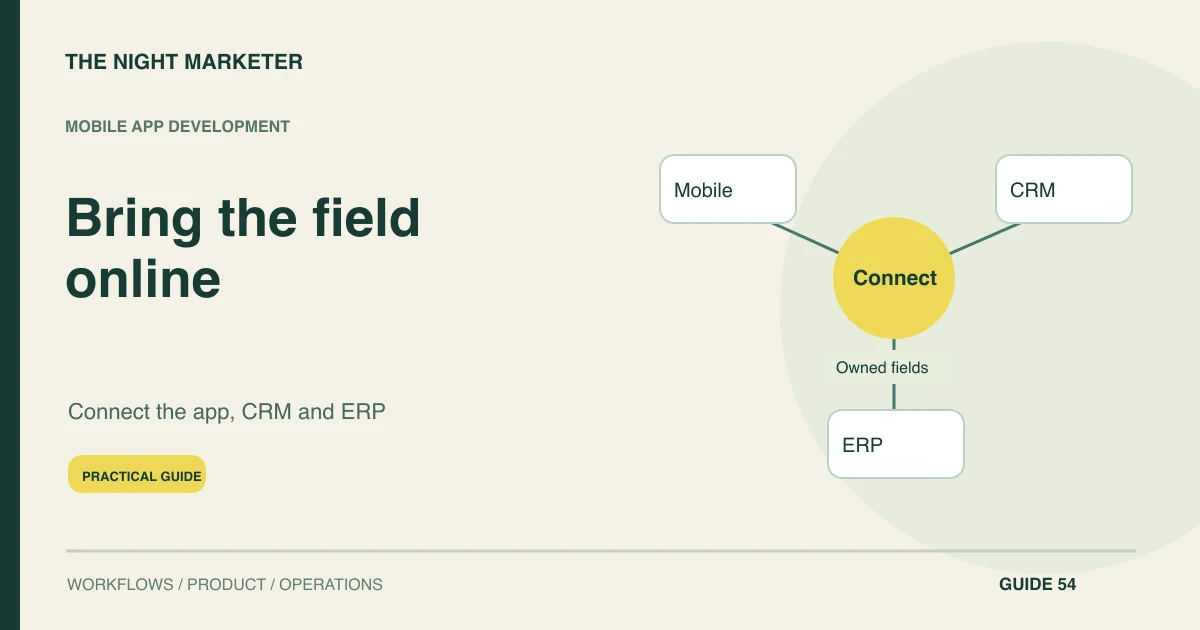
Connect a mobile app to CRM and ERP through an authorised API layer that exposes the records and actions each mobile role needs. Keep system credentials on the server, assign ownership to shared fields and define how offline work becomes authoritative. The app should explain whether an action is saved locally, pending or confirmed by the business system.
Map mobile tasks to CRM and ERP ownership
Map field tasks before exposing system data. A representative may need customer context, visit notes and order requests; a technician may need assigned jobs and equipment history. Identify the smallest useful record view for each role.
Avoid copying the entire ERP into a mobile interface. Establish the business owner for each action and the system that makes the final decision, including pricing, credit, stock or fulfilment where relevant.
Define role-specific API operations
Create role-specific contracts for reads and changes. Use stable identifiers, explicit validation and meaningful error states.
A mobile request should describe a permitted business operation rather than offer unrestricted database updates. OpenAPI can document the contract, while actual implementation and tests establish behaviour. Include the information needed to reconcile a request later and define whether repeated submissions refer to the same operation or a deliberately new one.
Keep credentials and access checks on the backend
Enforce authentication and record access on the backend. Do not embed ERP administrative credentials in the app or trust an account ID supplied by the client. Limit service credentials to the integration's purpose.
Test a restricted user attempting another territory's record, a revoked account and a modified request. Apply the same boundaries to attachments, search results and exported files, which can otherwise become alternative routes around a correct main screen.
Separate safe offline work from pending decisions
Classify which tasks can work offline. A visit note may be saved locally and uploaded later, while an order requiring current credit or stock may remain pending. Keep the user informed about that distinction.
Preserve entered work when the connection changes. Limit the local dataset to the necessary scope and define appropriate device-security, account-switching and expiry behaviour for the organisation, including shared or lost devices.
Resolve conflicts and retries by business meaning
Handle synchronisation as a business workflow. Use stable operation references to prevent duplicate writes during retry. Resolve conflicts according to the field and action: a note may be append-only, while an approved price cannot be silently replaced by a stale local value.
Show conflicts that need review. Reconcile the resulting CRM or ERP record before telling the user an uncertain transaction completed successfully.
Use a shared business contract, not direct database access
Keep field identifiers and operation results consistent across the mobile backend and business systems. Document which values are copies and which are current decisions from the ERP or CRM. TNM's CRM and accounting integration example is relevant background for connecting business records; the mobile synchronisation design still needs its own tests.
A mobile app should not bypass approval or credit checks merely because it has cached a customer record. Give support a request reference and a bounded history so they can resolve an uncertain submission without asking users to enter the same order again in several places.
Reconcile mobile requests with final system records
Test end-to-end with the operational owners. Include a long outage, an interrupted upload, a duplicate event and a permission change while work is queued. Verify record counts, attachments and important state transitions in the authoritative system.
Give support staff a way to trace a mobile request without exposing unrelated data. Release one complete field journey first, with a clear owner for integration failures and a manual recovery route where appropriate.
Mobile integration acceptance checks
| Area | What to test | Acceptance evidence |
|---|---|---|
| Record scope | Use a restricted field representative account | The API returns only permitted customers and actions |
| Offline request | Submit work without current stock or credit data | The app shows pending validation rather than confirmed acceptance |
| Retry | Repeat an upload after an uncertain response | The original operation is found or safely completed once |
| Reconciliation | Compare mobile submissions with CRM and ERP outcomes | Records, attachments and important states match their intended authority |
Example: an offline order needs ERP confirmation
A sales representative records an order request offline during a visit. The app preserves the item choices and shows that stock and credit checks are pending. After reconnection, the backend submits the request once using its stable reference.
ERP confirms the accepted quantities and order state. If stock changed, the app presents the defined exception route rather than pretending the earlier cached quantity was reserved. The acceptance test includes a repeated upload after a timeout.
Make the mobile action traceable to its final record
Define field ownership, pending states and duplicate prevention together. Discuss a connected mobile app with TNM using the CRM and ERP operations your field team actually needs.
Frequently asked questions
Map field tasks before exposing system data. A representative may need customer context, visit notes and order requests; a technician may need assigned jobs and equipment history. Identify the smallest useful record view for each role. Avoid copying the entire ERP into a mobile interface.
Create role-specific contracts for reads and changes. Use stable identifiers, explicit validation and meaningful error states. A mobile request should describe a permitted business operation rather than offer unrestricted database updates. OpenAPI can document the contract, while actual implementation and tests establish behaviour.
Enforce authentication and record access on the backend. Do not embed ERP administrative credentials in the app or trust an account ID supplied by the client. Limit service credentials to the integration's purpose. Test a restricted user attempting another territory's record, a revoked account and a modified request.
Handle synchronisation as a business workflow. Use stable operation references to prevent duplicate writes during retry. Resolve conflicts according to the field and action: a note may be append-only, while an approved price cannot be silently replaced by a stale local value.