In short
- Assign one authoritative system to every shared field.
- Preserve stable record IDs and source references.
- Define safe retries when delivery or acknowledgement fails.
- Reconcile outcomes and name the owners of exceptions.
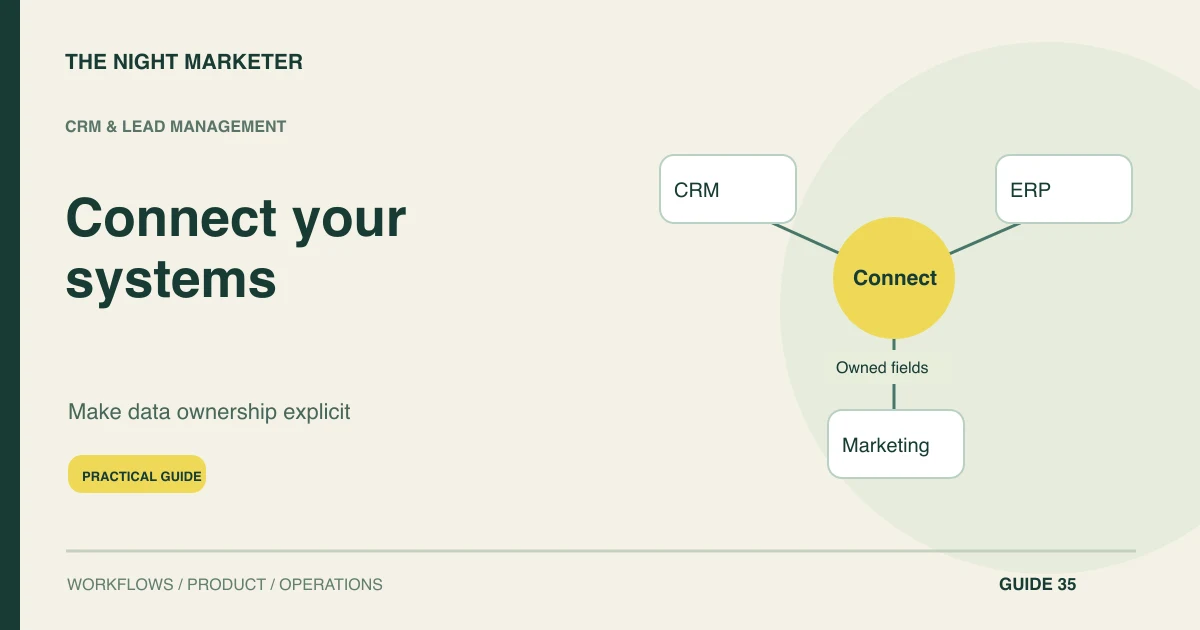
Connect CRM, ERP and marketing tools by assigning ownership to each important field and defining how approved changes move between systems. A useful integration handles identifiers, permissions, retries and reconciliation. Start with one business workflow, such as a won opportunity becoming a delivery order, rather than synchronising every available field.
Assign ownership to shared fields
Map the workflow and identify the authoritative system for each decision. The CRM might own qualification and account ownership, while the ERP owns invoice state and fulfilment. Marketing tools can receive eligibility updates without gaining authority to alter finance records.
Write a field ownership matrix before configuring connectors. Without it, a technically successful two-way sync can repeatedly overwrite correct information with an older value from another system.
Match identities without losing source records
Choose stable identifiers and preserve source references. An account name alone is a weak join key because names change and subsidiaries can look similar. Record the relationship between system IDs and define how merges, splits and deletions affect downstream records.
Review uncertain matches instead of automatically attaching a contact to the nearest-looking organisation. Include timestamps and provenance so support staff can trace where a disputed value came from.
Choose events or scheduled synchronisation
Define HTTP interface contracts and event payloads with required fields, versions and expected outcomes. OpenAPI can describe the HTTP interface. State which changes need prompt delivery and which can use scheduled reconciliation. A webhook may signal a change without carrying the complete authoritative record, so verify the actual API version, app permissions and event coverage.
Keep the integration specification usable
For each connection, record the source, destination, identifier, allowed change, expected delay and exception owner. Add an example of a valid message and a rejected one. Ask what happens if the receiver commits a change but the sender never receives confirmation. That question reveals whether retry behaviour is actually defined.
TNM's Shopify CRM and accounting integration example is a concrete reference for linking business tools. It does not mean every connector supports the same event coverage. Verify the APIs and permissions of the systems in your own scope before promising a two-way sync.
Authenticate events and prevent duplicate writes
Authenticate each integration with the minimum required access and keep credentials outside client applications. Validate incoming events before acting on them. Record an operation identifier so a repeated delivery does not create another order or activity.
Apply object-level permissions to any user-facing integration endpoint. A trusted connection between tools is not a reason to accept arbitrary record IDs or let one tenant's event alter another tenant's data.
Recover from timeouts and invalid records
Design recovery before release. Separate retryable interruptions from invalid records that need human correction. Use controlled retries and a failed-job queue with enough context to investigate.
Avoid treating the absence of an acknowledgement as proof that the destination did nothing. Query or reconcile the destination before repeating an irreversible operation. Keep replay tools bounded to the relevant workflow, with audit history for consequential corrections.
Reconcile outcomes independently of delivery
Reconcile independently of event delivery. Compare counts, identities and important state transitions over a defined period. An integration can appear healthy while quietly omitting one event type.
Test stale events, permission changes, duplicates and partial outages using representative records. Assign a business owner and technical owner for exceptions. Publish an operating guide explaining what users should do when systems disagree, rather than asking them to fix records in every tool.
Integration failures to test before launch
| Area | What to test | Acceptance evidence |
|---|---|---|
| Field ownership | Update a shared customer field in two systems | The agreed authority resolves the conflict without an update loop |
| Delivery | Replay a won-opportunity event after a timeout | The destination recognises the original operation |
| Coverage | Compare source events with destination records | Missing event types are identified independently of uptime |
| Recovery | Correct and replay an invalid mapping | A bounded audit trail shows the resulting record state |
Example: a won deal becomes one ERP order
In an illustrative workflow, sales marks an opportunity won and sends an order request with a stable reference. ERP validates it and owns the final order number and invoice status. Marketing receives the lifecycle change only after the appropriate eligibility checks.
If a network timeout occurs after ERP creates the order, the integration looks up the original reference before retrying. Reconciliation then confirms that one won opportunity has one intended order, not two.
Connect one workflow before synchronising everything
A dependable integration has clear authority, safe recovery and reconciled outcomes. Scope CRM and ERP integrations with TNM around one complete transaction and the teams responsible for its exceptions.
Frequently asked questions
Often, yes, if their supported APIs, permissions and commercial plans expose the records and actions the workflow needs. Review read and write access, supported events, limits and export options before committing to a connector. A missing interface may require a narrower scope or a supported alternative.
Bring the current workflow, the systems involved, the person responsible for each stage, and anonymised examples of the records that move between them. Identify the first transaction to connect, acceptable delays, known duplicate records and who handles exceptions.
The estimate depends on the number of workflows and systems, available interfaces, data quality, permission rules, reconciliation needs and support responsibilities. Scope one complete transaction first, including its failure and recovery paths, before estimating wider synchronisation.
Yes. A team can validate mappings against representative records, compare outcomes without changing production records, and then enable a limited approved workflow. Agree acceptance criteria and a stop or recovery procedure before expanding the rollout.