In short
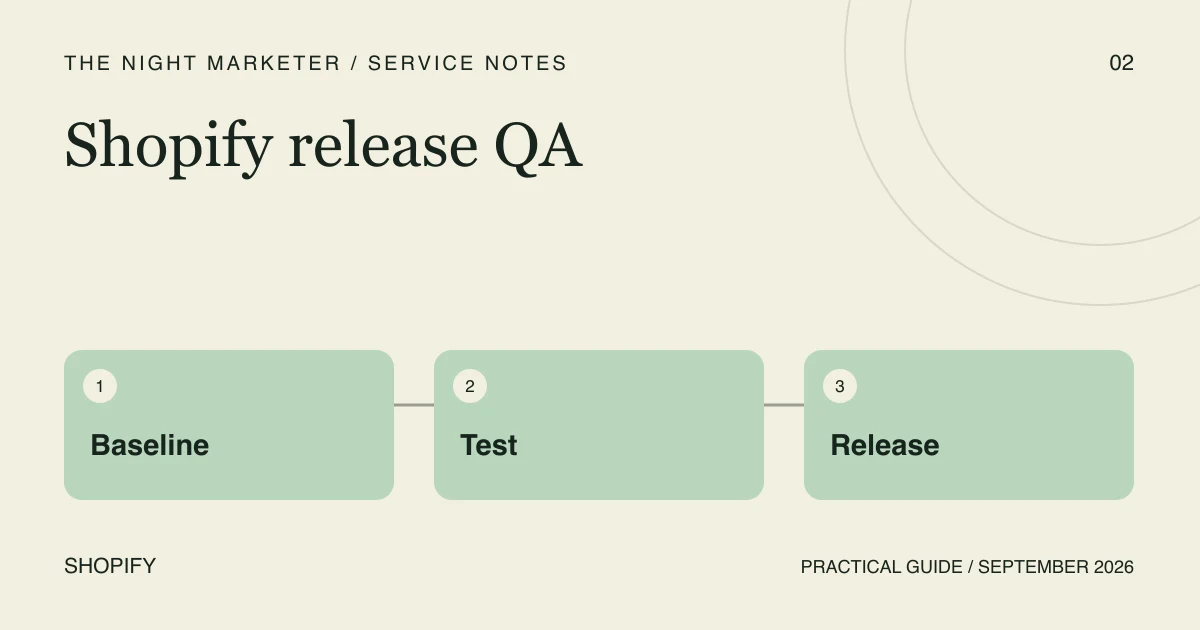
- Record the active theme and external settings before editing.
- Test representative products from discovery through checkout.
- Verify consent-aware purchase events by order ID.
- Name a rollback owner and check critical paths after release.
In an illustrative theme release, the preview looks right and a live subscription product loses its selector. A Shopify theme release checklist gives the team a way to verify the buying journey, tracking and rollback before customers encounter the change.
Make the release inventory explicit
List what is changing and what must remain unchanged. Include product templates, app blocks, consent tools, analytics, subscription widgets, search and localisation. Choose representative products: a single variant, a multi-variant product, a sold-out item and any bundle or subscription. Record the theme version and configuration before editing. An app setting can be as important as a code change, so a rollback plan needs more than a copy of one template file.
Test journeys instead of isolated screens
Start with discovery, choose a variant, add it to cart, edit the cart and proceed to checkout using an approved test method. Verify that price, quantity and subscription choice remain consistent. Repeat on mobile and with keyboard navigation. Test the empty cart, invalid discount and out-of-stock paths as deliberately as the happy path. Check that one completed test order produces the expected analytics events, rather than multiple purchase events caused by repeated thank-you-page visits.
Release with a named stop condition
Agree who can approve the release, who watches the first live checks and what failure requires rollback. Publish at a time when those people are available. Keep the previous theme available and document configuration differences that restoring it will not reverse. A performance score alone cannot approve a release: a fast page with a broken selector is still broken. Review the live store after publishing because preview and production integrations may behave differently.
Shopify documents theme performance practices and testing tools. These support release QA but do not replace functional checkout and integration checks. Shopify theme performance guidance.
Record the evidence before switching themes
- Baseline: Save the previous theme identifier and record the app embeds, product templates, tracking setup and separate app settings that affect the release.
- Cart and checkout: Use a single variant, a multi-variant product, a sold-out item and a subscription product where relevant. Verify the selected variant, price, discount and selling plan through checkout.
- Tracking: Use the expected consent states and verify the purchase event against the test order ID in your measurement tools. Check whether reopening the confirmation surface creates a duplicate.
- Rollback: Assign the owner who can restore the previous theme and write down which app or tracking settings require separate restoration.
Use an approved test setup and follow Shopify’s test-order guidance. Coordinate any payment test-mode window in advance because customers cannot place live orders while payment test mode is active.
Illustrative example: one-time and subscription orders
If a product page works for a one-time item but fails for a subscription item, do not call the release ready after testing the simpler product. Keep a small representative catalogue for QA so edge cases are not forgotten between launches. If Loop is part of the storefront, use the Loop launch checklist for the separate selling-plan and portal tests.
Scope a Shopify release safely
A release plan should pair journey tests with a named owner and a workable rollback decision. The Night Marketer can help scope this work through our Shopify development.
Frequently asked questions
Preview covers the draft theme. Use an approved test setup to check the downstream cart, checkout and tracking integrations, then run agreed smoke checks after release.
Set the stop conditions in advance. A product that cannot be added to cart, an incorrect selling plan or price, or a missing critical purchase event should trigger the agreed rollback or pause.
Restoring the old theme changes which theme is published. App settings, checkout configuration and tracking changes made elsewhere may need separate recovery steps. Record these before release.