Case study · Granite processing and export
Custom ERP for granite processing and stone export
One operational workflow connecting block inspection, slab measurements, polishing, stock visibility and container loading, so every slab keeps its production story from the factory floor to dispatch.
From production to dispatch
Inspect › Process › Load
- Block
- BLK-101
- Part / slab
- 1 / 1.2
- Net size
- 200 × 90 cm · 19.375 sq ft
- Quality
- First Choice
- Container
- 19001
- Industry
- Granite processing and stone export
- System
- Stone operations ERP
- Covers
- Production, slab inventory and dispatch
- Used by
- Factory, loading and management teams
- Delivery
- Custom web application
The project in short
We built a custom ERP for a granite processing and export business. It follows each block from inspection through arrival, chipping and polishing, records slab measurements before and after polishing, shows which slabs are in stock and unassigned, and controls which slabs are loaded into each container, with sheet, block recovery and container reports.
The challenge
Physical blocks, many slabs, one container at a time
Stone operations need more than a list of customers. A single block can contain several parts and many slabs, and each slab has its own measurements, quality and destination. Those details have to connect as work moves from the factory floor to the loading team and management.
The design principle was simple: keep slab-level detail available at every stage, so nobody has to rebuild a slab's history from paper when it is time to load a container.
What the system had to handle
- 01
Physical identity
Blocks, parts and slabs must stay identifiable from inspection to dispatch.
- 02
Measurements at every stage
Gross and net dimensions before and after polishing, with the allowances used.
- 03
Dispatch control
Know which slabs are assigned to each container, and replace them when needed.
- 04
Management visibility
Sheet, recovery, container and unassigned-stock reports with exports.
The workflow
One workflow, six operational stages
- 01
Block inspection
Record block identity, marking details and location.
- 02
Arrival and chipping
Capture arrival and slab measurements before polishing.
- 03
Polishing
Track after-polish dimensions, net area and quality.
- 04
Stock visibility
Review arrived, polished and unassigned slabs.
- 05
Container loading
Assign, edit or replace slabs within a container.
- 06
Reports and exports
Sheet, block recovery and container reports.
Slab traceability
Every slab has a production story
A block can contain several parts and many slabs. The system keeps before- and after-polish measurements, quality and container assignment for each one.
- Compare gross and net dimensions across production stages
- Keep each slab identifiable within its block and part
- Keep unpolished-sheet and polishing allowances separate
- Calculation rules configured to the workflow
Block polishing · BLK-101
Part 1 · after-polish allowance 5 cm / 5 cm
| Slab | Gross L×H | Net L×H | Net sq ft | Quality | Container |
|---|---|---|---|---|---|
| 1.1 | 198 × 98 | 193 × 93 | 19.320 | FC | 19001 |
| 1.2 | 205 × 95 | 200 × 90 | 19.375 | FC | 19001 |
| 1.3 | 212 × 101 | 207 × 96 | 21.390 | FC | Unassigned |
| 1.4 | 194 × 92 | 189 × 87 | 17.699 | FC | Unassigned |
Dimensions in cm. Sample measurements; calculation rules are configured per workflow.
Container operations
Control exactly what goes into each container
Container workflows bring assigned sheet and block slabs together, with dimensions, quality, slab numbers and loading information ready for review.
- Select available slabs for a container and review its assigned stock
- Inspect slab details and choose a sheet or block replacement when needed
- Move through container reporting, loading and loaded views
- Excel exports at each stage
Container loading · 19001
Assigned sheet and block slabs
| No. | Type | Source | Slab | Sq ft | Quality | Action |
|---|---|---|---|---|---|---|
| 1 | Block | BLK-101 | 1.1 | 19.320 | FC | Edit / Replace |
| 2 | Block | BLK-101 | 1.2 | 19.375 | FC | Edit / Replace |
| 3 | Sheet | SHT-201 | 18 | 20.140 | FC | Edit / Replace |
Fictional identifiers. The original slab identity stays visible next to the container slab number.
Reporting and safeguards
Visibility for the team, context for decisions
Reports connect production activity to stock and recovery views, and changes to sensitive settings leave a trail.
- Sheet, block recovery, container and unassigned-stock reports
- Allowance edit history with the person who changed it and the old and new values
- Role and location-based access for different responsibilities
- Backup verification through Dropbox, with status notifications and a central health monitor
All sheets · stock overview
| Sheet | Total slabs | Arrived | Not arrived | Polished |
|---|---|---|---|---|
| SHT-201 | 120 | 110 | 10 | 96 |
| SHT-202 | 80 | 80 | 0 | 72 |
Capabilities
What is in the system
Block inspection
Identity, marking details and location for each block.
Arrival and chipping
Arrival records and before-polish measurements.
Polishing
After-polish dimensions, net area and quality.
Slab inventory
Arrived, polished, assigned and unassigned slabs.
Container loading
Assignment, replacement and loading status.
Reports and exports
Sheet, recovery, container and stock reports in Excel.
Allowance audit
Who changed an allowance, with old and new values.
Access control
Role and location permissions.
Backup monitoring
Verified backups with status notifications.
What it gives the team
Slab-level answers, from the yard to the port
Traceable slabs
Each slab keeps its block, measurements, quality and container in one record.
Controlled loading
Teams see what is assigned to a container and can replace slabs with a record of it.
Accountable changes
Allowance changes keep the actor and the old and new values for review.
These are capabilities the software supports. We have not published measured ROI or performance results for this project.
Who it is for
Built for stone businesses that ship by the container
- Granite processors
- Stone suppliers and exporters
- Natural-stone businesses with block-to-slab workflows
A good fit when
- Blocks are cut into many slabs that each need tracking
- Containers are planned and loaded slab by slab
- Measurements change between production stages
How we would build yours
- 01
Discover
Map factories, roles, production stages and reporting needs.
- 02
Configure and build
Agree the modules, calculations, approvals and data structure.
- 03
Validate
Test with representative data so the numbers match how you measure.
- 04
Roll out
Train users and stage the rollout across teams and locations.
What does a granite ERP need to track?
Blocks and their parts, every slab cut from them, gross and net dimensions before and after polishing, quality, stock status, and which container each slab is assigned to. Reports then roll this up into sheet, block recovery and container views.
Can it calculate net square feet after polishing?
Yes. It records gross and net length and height and the net square feet for each slab, using allowances configured for the workflow. Unpolished-sheet and polishing allowances are kept separately, and changes to them are logged.
Can slabs be replaced after they are assigned to a container?
Yes. The loading team can review a container's slabs and choose a sheet or block replacement, while the original slab identity stays visible next to the container slab number.
Does it include accounting, GST or a sales CRM?
No. This implementation covers production, slab inventory and dispatch. Accounting, GST, logistics integrations and sales CRM features would be scoped separately.
How is this different from your stone procurement case study?
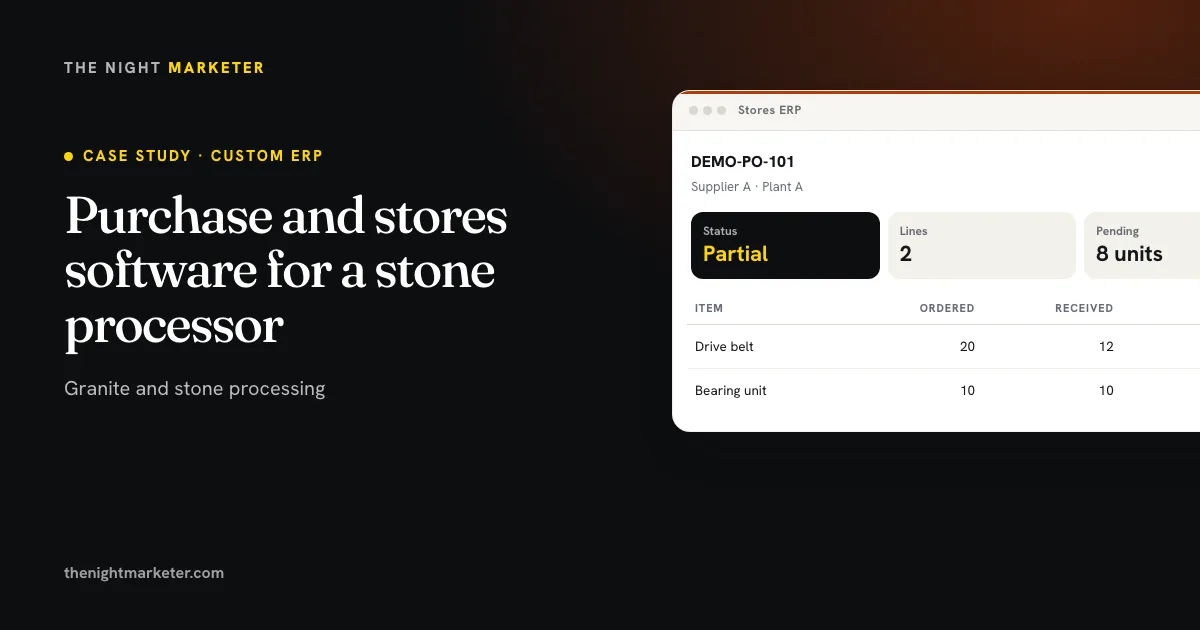
That project covers purchasing and factory stores: supplier orders, partial receipts, stock issues and spares. This one covers production and dispatch: blocks, slabs, polishing measurements and container loading.
More software case studies
Related projects
Your project
Build a stone operations ERP around the way you work.
Walk us through one block, from inspection to the container it ships in. We will scope the modules, calculations and reports you need.
This is an anonymised case study: the client's name and data are kept confidential. Screens are illustrative interfaces with sample data, not screenshots of the live system. Each implementation is scoped separately; this is not a packaged subscription product.